Overview
This document is giving you and overview over DataLbry's Clockify Connector version 0.1.0-alpha.1643644953.
What is Clockify#
Clockify is the most popular free time tracker and timesheet app for teams of all sizes. Unlike all the other time trackers, Clockify is available for an unlimited numbers of users for free. Clockify is an online app that works in a browser, but you can also install it on your computer or phone for convenience.
Obtaining Credentials#
To be able to use Clockify's API, you need to obtain the API key and the base endpoint. To do so you need to have Clockify already set up. You can do so by simply heading over to https://clockify.me and creating an account if you don't already have one. Then you need to log in with your email and password.
note
If you have a self-hosted Clockify instance, then your URL will look different.
API key#
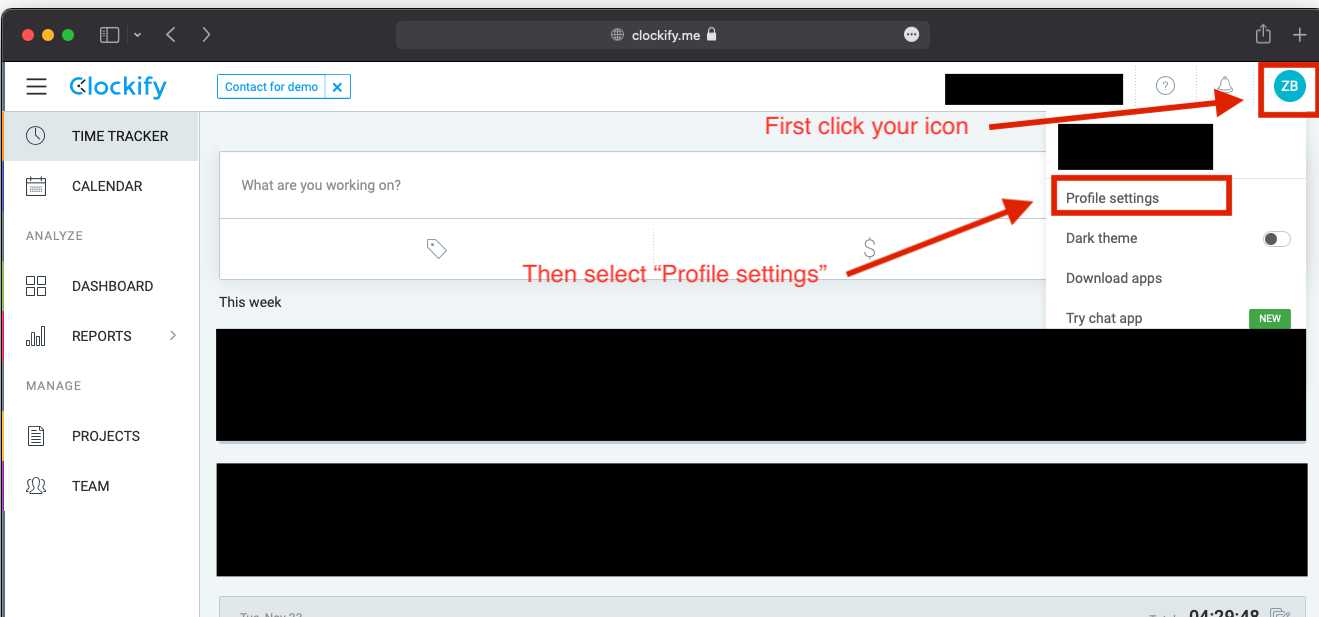
After you have logged in you can obtain your API key. You can do so by first clicking on your icon in the top
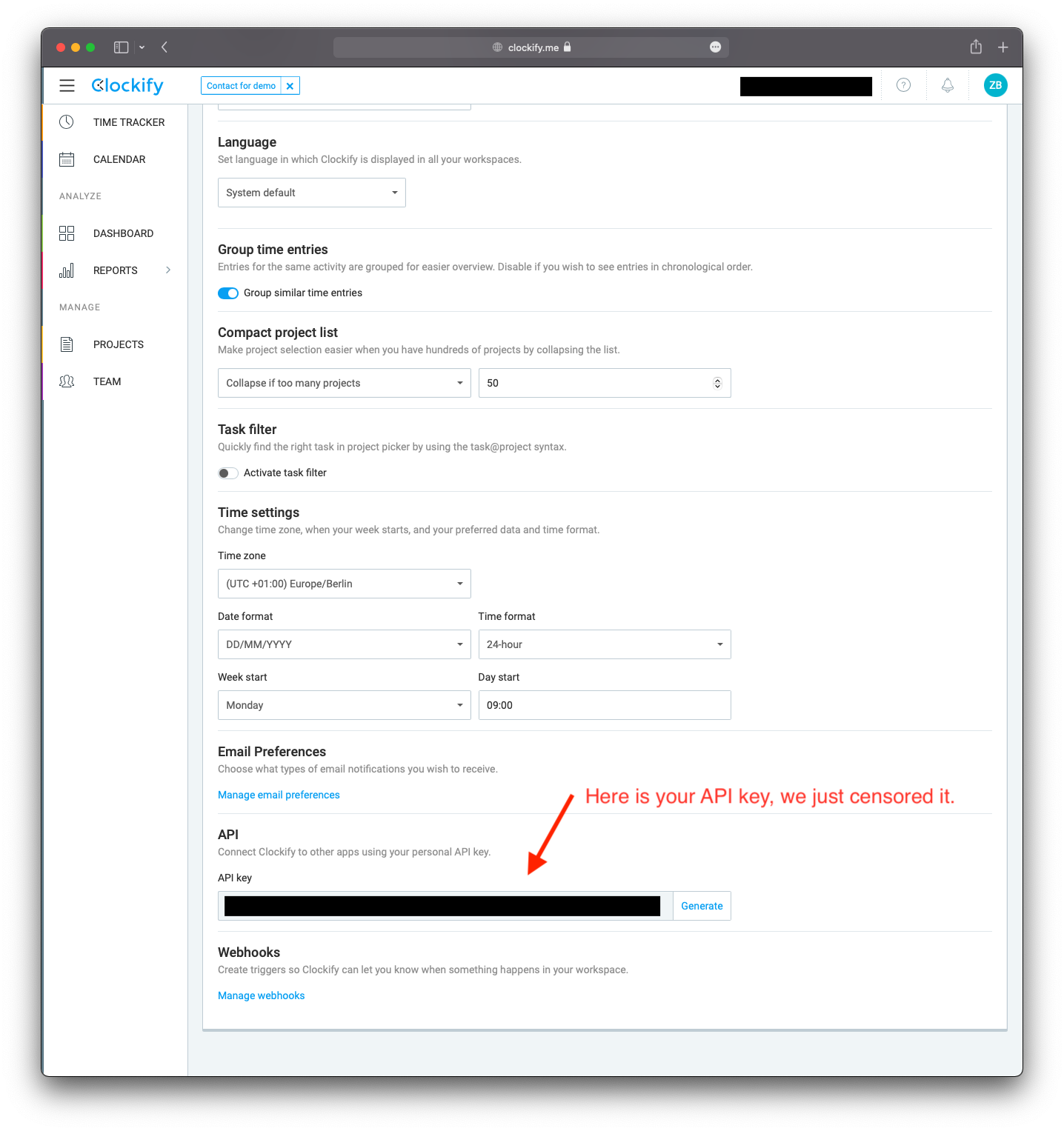
right of your window, then selecting Profile Settings and lastly scrolling to the end of the page. On the bottom
you will see now your API key. These two steps are visualized by the next two images.
info
If you set up a connector with a particular API key and in future regenerate the API. Then you will need to update the API key in the respective connectors too.
Base endpoint#
If you don't have a self-hosted clockify instance, then your endpoint is https:/api.clockify.me/api/v1.
If you have a self-hosted clockify instance, then your endpoint is https://yourcustomdomain.com/api.
For more information please check out: https://clockify.me/developers-api
Targeted Documents#
Currently, the following documents are targeted by the connector:
- The clients
- The groups
- The projects
- The tags
- The tasks
- The entered time entries
- The users
- The workspaces
info
The connector targets all information which you can see in the Clockify's frontend.